 Table of content
Кампанія — в основному, тека, де rolisteam зберігатиме усі дані.
- Усі носії
- Альтернативи кістки
- Список відтворення музики
- Стан персонажа
- Чинна тема
- Журнали
- тощо…
Коли організатор гри створює свій профіль, слід вказати шлях до порожньої теки. Також можна скористатися каталогом, що містить кампанію.
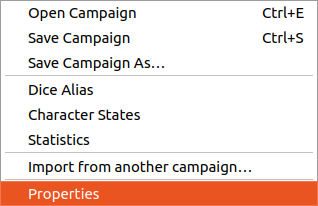
Після натискання кнопки Зберегти кампанію, rolisteam зберігає всі відкриті документи (карти, PDF, аркуші…).
Параметри
Для налаштовування кампанії призначено єдине діалогове вікно. Ви можете змінити альтернативи кісток вашої кампанії, стани персонажів, а остання вкладка надає вам змогу вибрати деякі подробиці, а також надає вам деякі відомості про розмір кампанії.
Альтернативи кістки
Тут ви можете визначити всі альтернативи, необхідні для вашої гри. Якщо у вас є довгі команди для кидання кубиків, ви можете вказати спосіб запуску довгої команди за допомогою короткого тексту. Будь ласка, ознайомтеся з альтернативами від спільноти.
Якщо ви хочете визначити власні альтернативи, ознайомтеся із документацією.
Щоб перевірити команди для кидків кубиків, будь ласка, перегляньте документацію з обміну миттєвими повідомленнями.
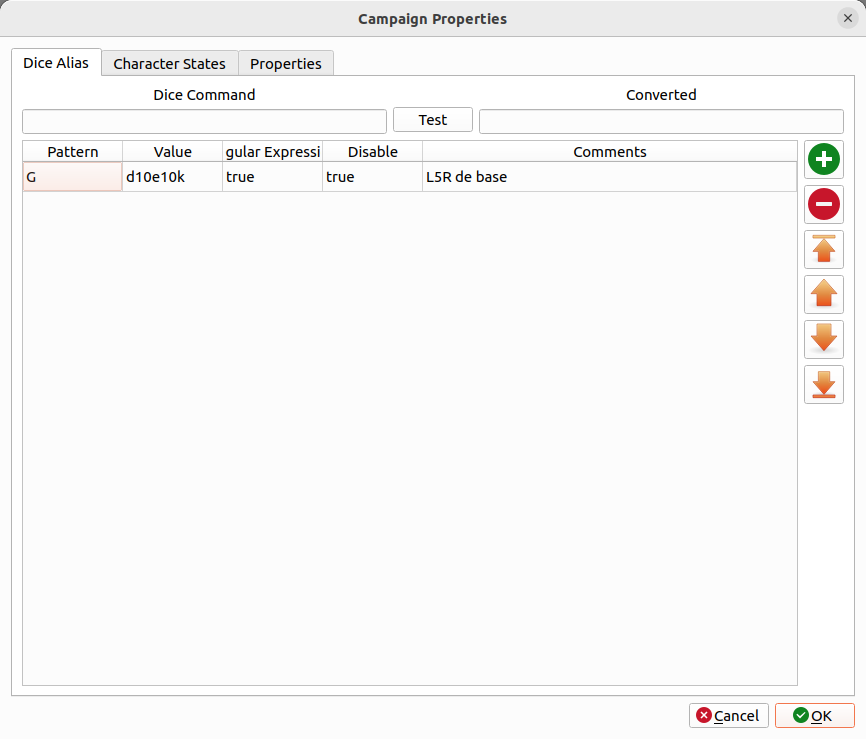
Коли альтернативи кісток визначено, ви можете перейти до наступної вкладки, щоб налаштувати стани персонажів.
Стани персонажів.
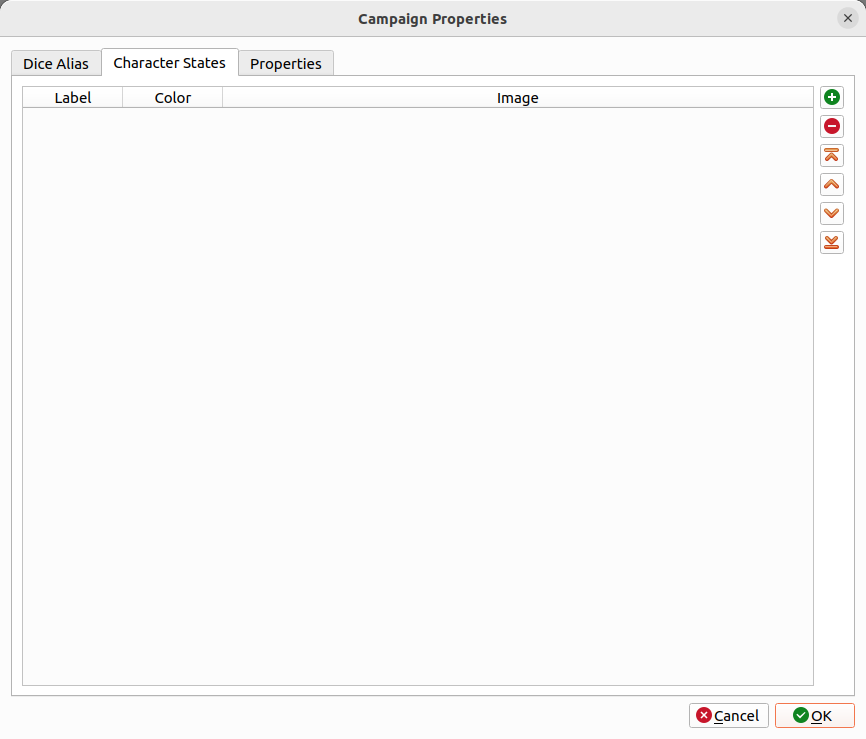
Типово, у Rolisteam передбачено такі стани:
- Справний
- Злегка поранено
- Серйозно поранено
- Мрець
- Сон
- Зачаровано
Кожен типовий стан визначається назвою та кольором. Ви також можете додати зображення. Не вагайтеся і додавайте інші стани, які можуть бути корисними у контексті вашої гри.
Властивості
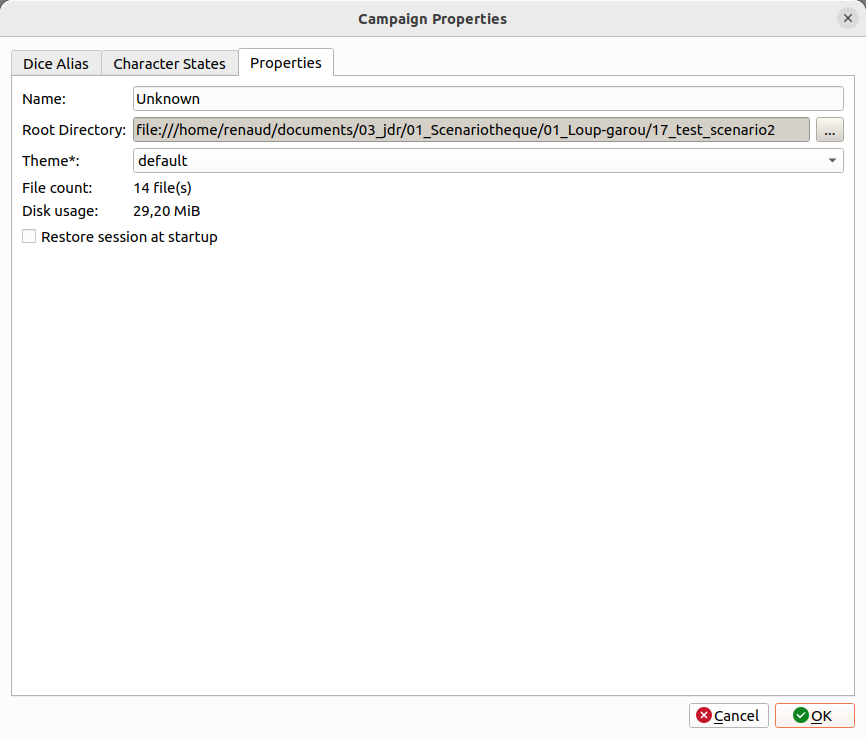
Нарешті, ви можете перейти до останньої вкладки, де ви можете визначити назву вашої кампанії, тему rolisteam, яку слід використовувати під час гри в цій кампанії. Якщо ви позначите пункт Відновлювати сеанс під час запуску, щоразу, коли ви запускаєте rolisteam з цією кампанією, відкриватимуться всі документи, які було відкрито в останньому ігровому сеансі.
Оскільки кампанія готова, тепер ви можете наповнити її вмістом. Спочатку давайте розглянемо як створити карту битви.
Вміст

Усі дані буде збережено у каталозі кампанії.
Більшість файлів є звичайними текстовими файлами JSON.
Ось приклад кампанії:
.
├── 3dDice.json
├── audioplayer1.json
├── audioplayer2.json
├── audioplayer3.json
├── chatrooms.json
├── content.json
├── data.json
├── dice_command.json
├── media
│   ├── VectorialMap.vmap
│   ├── sheet_simple.rcs
│   ├── MindMap.rmap
│   └── Shared_Notes.rsn
├── npc.json
├── npcs
│   ├── avatar_0f5b4e85-2a81-4284-a827-a3ae47bd45f4.png
│   ├── avatar_147b4571-a380-4906-be04-34128d5ac034.png
│   ├── avatar_22e791c7-f990-45c3-887d-d6188f114899.png
│   ├── avatar_2894d9c1-56a3-4b6a-a46c-8efc4d34aa7d.png
├── rolisteam.log
├── states
│   ├── bewitched.svg
│   ├── dead.svg
│   ├── heavywonded.svg
│   ├── poison.svg
│   ├── sleeping.svg
│   └── wounded.svg
├── states.json
└── static
    ├── Book1.pdf
    ├── book2.pdf
    ├── MyBook10.pdf
    ├── image.png
    ├── rules_book.pdf
    ├── 7e1ebe95-698f-400e-b6c6-fc2448f34645_47459c22-c1d9-4c90-a7d5-45223244b808
    ├── ab10ac43-2c06-4981-b677-3dc8eba203ab.jpg
    ├── Evidences.pdf
    ├── d565820f-b33f-4609-af68-8395c16dffdc_10de1bde-7e52-40fa-b6e5-eaf6d093bdcc