 Table of content
Preferences are split into 5 tabs. Each tab brings together settings about common subject.
Algemeen
This tab has many settings to customize some behaviors.
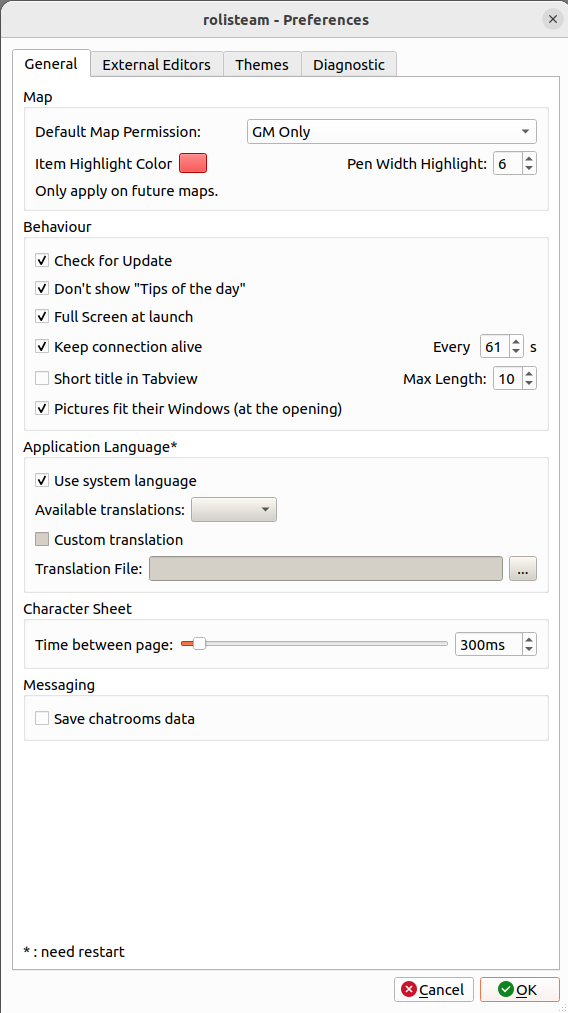
Kaarten
Those settings apply on all maps (Maps and vectorial maps).
- Define default permission for map. It is possible to override this settings when maps are added into Rolisteam.
- Selected item parameters: Color of selection and pen width for selected highlight
Gedrag
- Enable/disable the check for updates (Default: enabled)
- Start heartbeat feature. (Default: disabled)
- Heartbeat frequency (Default: 60 seconds)
- Make subwindow title shorter when in tab mode (Default: disabled)
- Select maximum length for subwindow title (Default: 10)
- Enable/disable the feature "fit on windows" for pictures (Default: enabled)
- Define the path to the translation file you wants. It will be used for the next starting.
- Start rolisteam in full screen (Default: selected)
Taal van toepassing:
Define in which language Rolisteam must be translated. The default behavior is to load the language from the system if available otherwise, it will be English.
User can disable the default behavior and select the appropriate language. User can finally define a custom translation file directly.
Personageblad
- Time between page: 300ms by default. This time is useful when exporting multipage character sheet into PNG.
Messaging
- Gegevens van chatrooms opslaan
Externe bewerkers
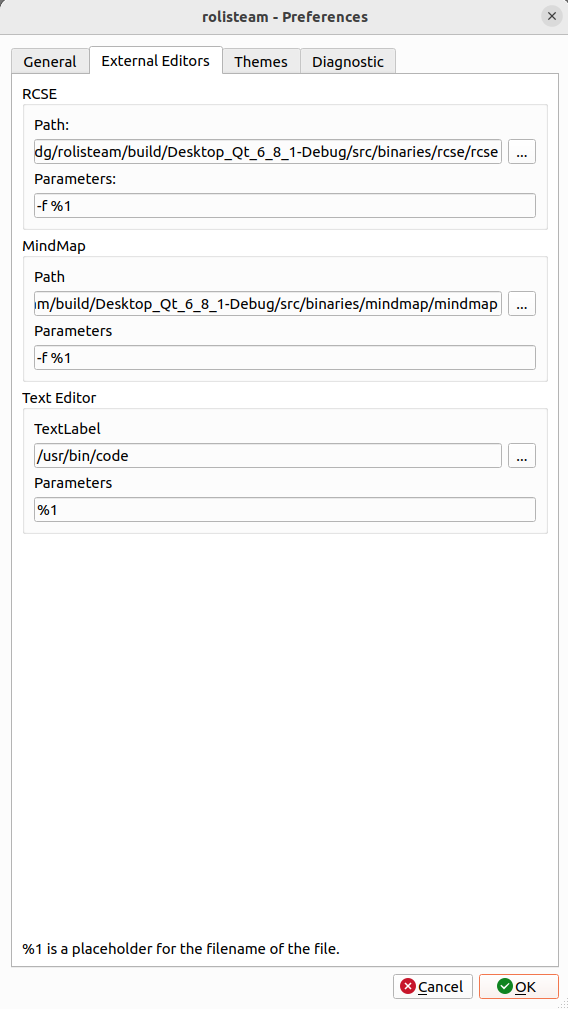
Rolisteam deals with many file formats (pictures, maps, texts, character sheet...).
So, there are several paths to define. Rolisteam manages changes these paths after each save.
Change directly these paths should be required in rare cases.
Thema's
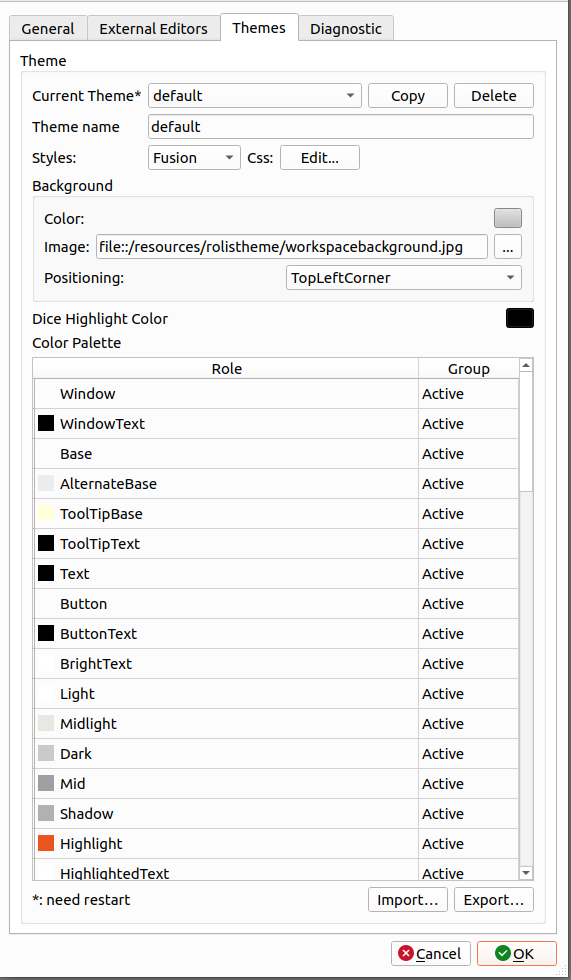
This part is well-described on the theme page.
Diagnostiek
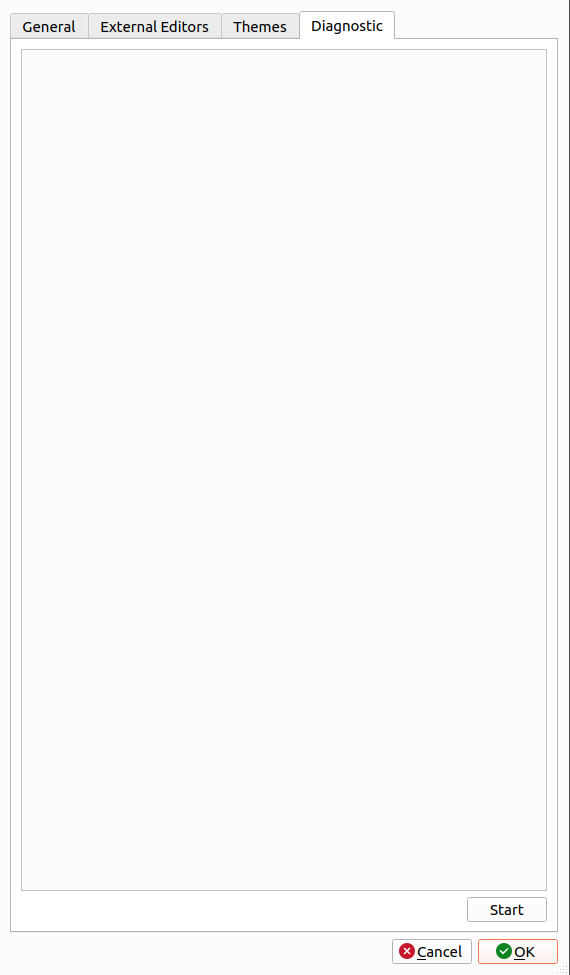
This panel is dedicated to perform diagnostic of the host system.
It gathers information regarding fonts, supported audio file formats and supported image file format. When reporting issue about Rolisteam, please provide us a diagnostic output.
Moreover, when the problem is about inability to read or play some file formats.