 Table of content
Vista general
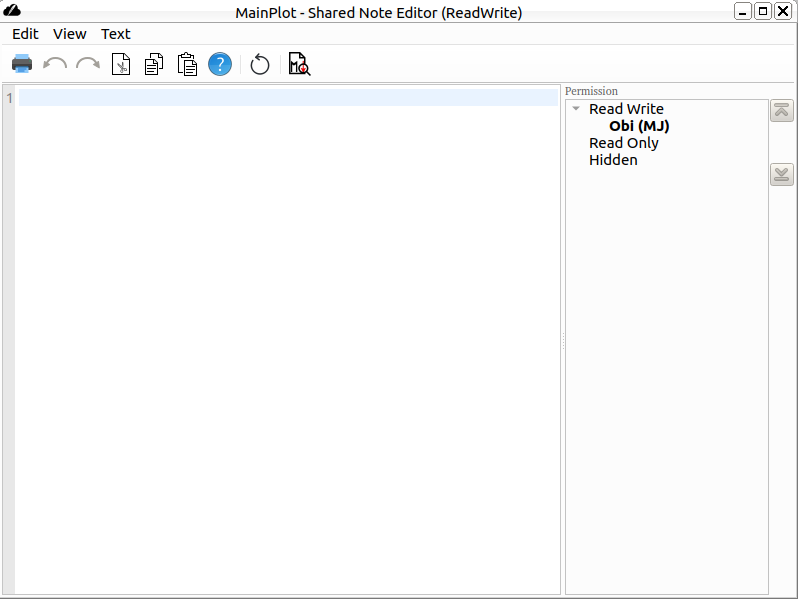
Nota compartida és un editor de text col·laboratiu on qualsevol pot modificar el document. L'editor admet text net i Markdown.
Característiques
- Edició col·laborativa
- Desfer/refer
- Retallar/Copiar/Enganxar
- Cerca-ho tot
- Cerca
- Ressaltat de sintaxi (markdown)
- Vista prèvia del Markdown
- Imprimeix
- Comenta o descomenta línies
- Desplaça el text seleccionat a l'esquerra/dret
Permisos
El plafó de participants només és visible per al propietari del document. Gestiona els permisos de cada jugador. De manera predeterminada, el document no es comparteix amb ningú. El propietari pot donar permís de lectura i, a continuació, l'editor compartit apareix a la pantalla del jugador. El contingut és visible i actualitzat si el propietari el canvia.
Després, el propietari pot donar el permís d'escriptura a algú que tingui el permís de lectura. Després, l'usuari pot escriure en el document.
El propietari pot eliminar els permisos. No tenir permís significa que l'editor desapareix de la pantalla de l'usuari.
Markdown
L'editor de notes compartides gestiona el format Markdown. És una sintaxi senzilla per a obtenir un text ben definit.
Exemple:
# Header1

## Header2

* List 1
* List 2
* List 3

**Bold**
*italic*
Per a activar el ressaltat de sintaxi: Edita > Ressaltat de la sintaxi > Markdown
Vista prèvia
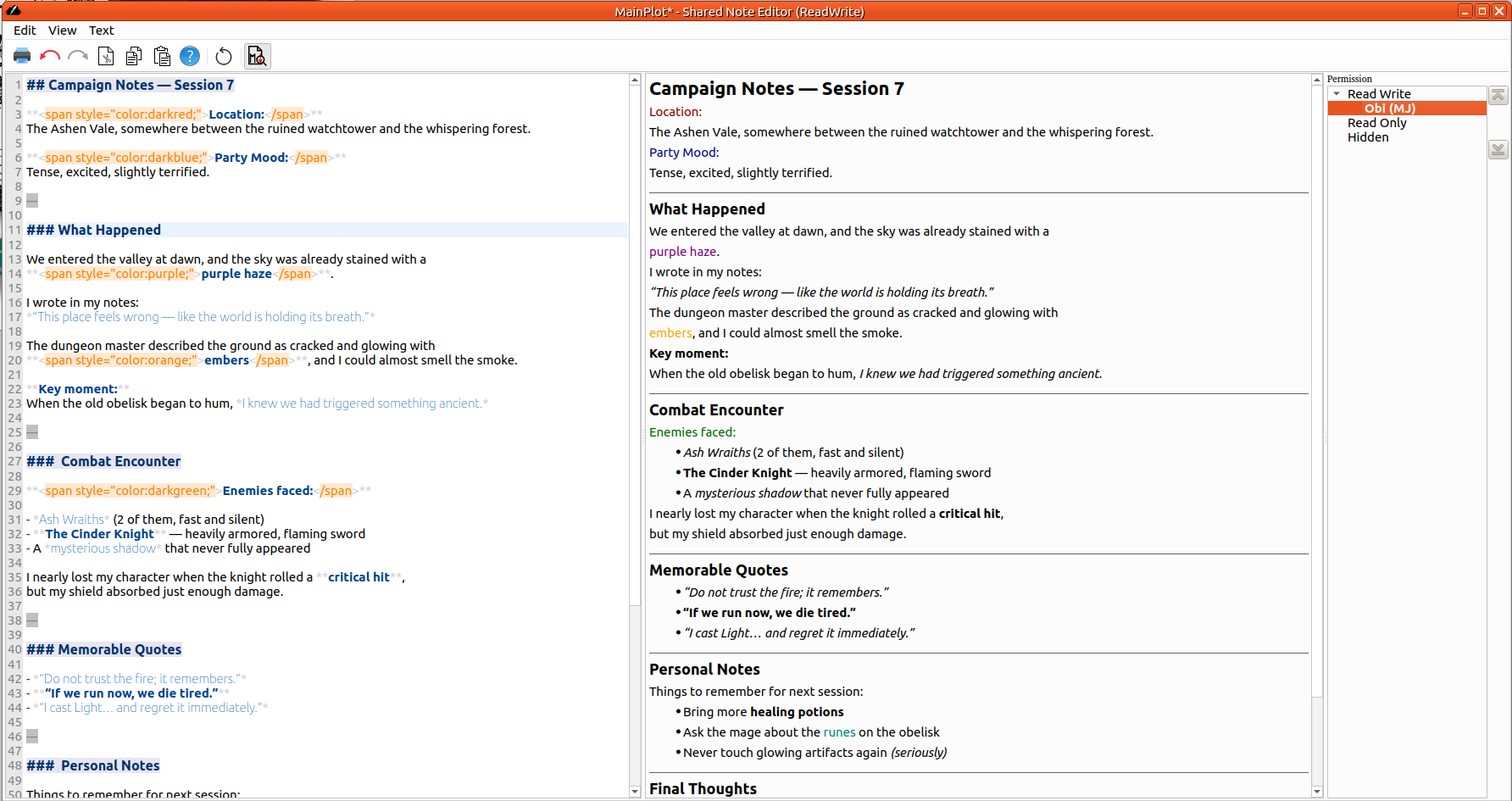
Nota compartida proporciona el plafó de vista prèvia del Markdown. Per a fer-la visible, podeu fer clic al botó de la barra d'eines o des del menú Edita > Vista prèvia del Markdown
Sintaxi
Feu una ullada a la sintaxi del Markdown.
Autors
L'editor de notes compartides es basa en l'editor de «cahoots», escrit per
- Emily Dimpfl
- Anandi Hira
- David Vega
PMF
Com escriure text enriquit?
El Markdown admet HTML inclòs. Per tant, per tal de definir el color o la mida de la lletra, podeu fer alguna cosa així:
<span style="color:darkblue;">Text in blue:</span>