 Table of content
La campanya és bàsicament una carpeta a on el rolisteam emmagatzemarà totes les dades.
- Tots els elements multimèdia
- Àlies de daus
- Llista de reproducció de música
- Estat del personatge
- Tema actual
- Registres
- …
Quan el o la DJ crea el seu perfil s'ha d'indicar un camí a una carpeta buida. També és possible utilitzar un directori que contingui una campanya.
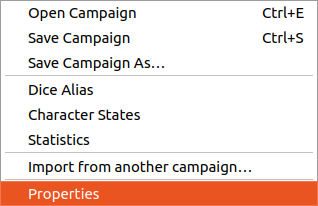
En fer clic a Desa la campanya, el rolisteam desarà tots els documents oberts (mapes, DF, full…).
Configuració
Hi ha un diàleg dedicat a la configuració de la campanya. Podeu canviar els àlies de daus de la campanya, els estats dels personatges i la pestanya final, permet triar alguns detalls i també dona alguna informació sobre la mida de la campanya.
Àlies de daus
A partir d'aquí, podeu definir tots els àlies necessaris per al joc. Si teniu tirades de daus d'ordres llargues, podeu proporcionar una manera d'activar l'ordre llarga amb un text curt. Doneu un cop d'ull als àlies de la comunitat.
Si necessiteu crear els vostres àlies propis, feu un cop d'ull a la documentació.
Per a provar les ordres dels daus, mireu la documentació de missatgeria instantània.
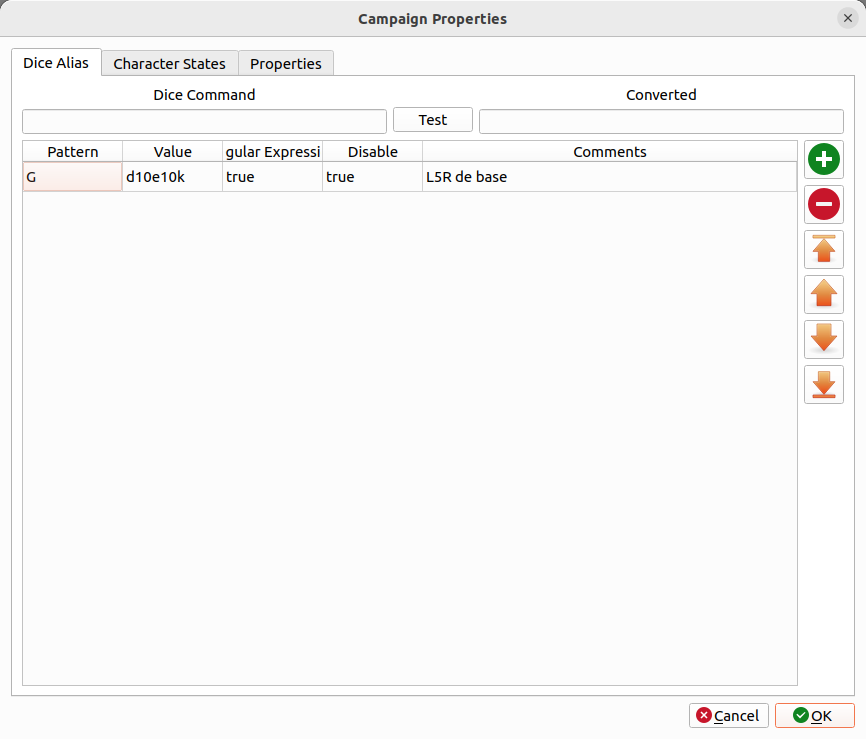
Quan es defineixen els àlies dels daus. Podeu moure's a la pestanya següent per a configurar els estats del personatge.
Estats dels personatges.
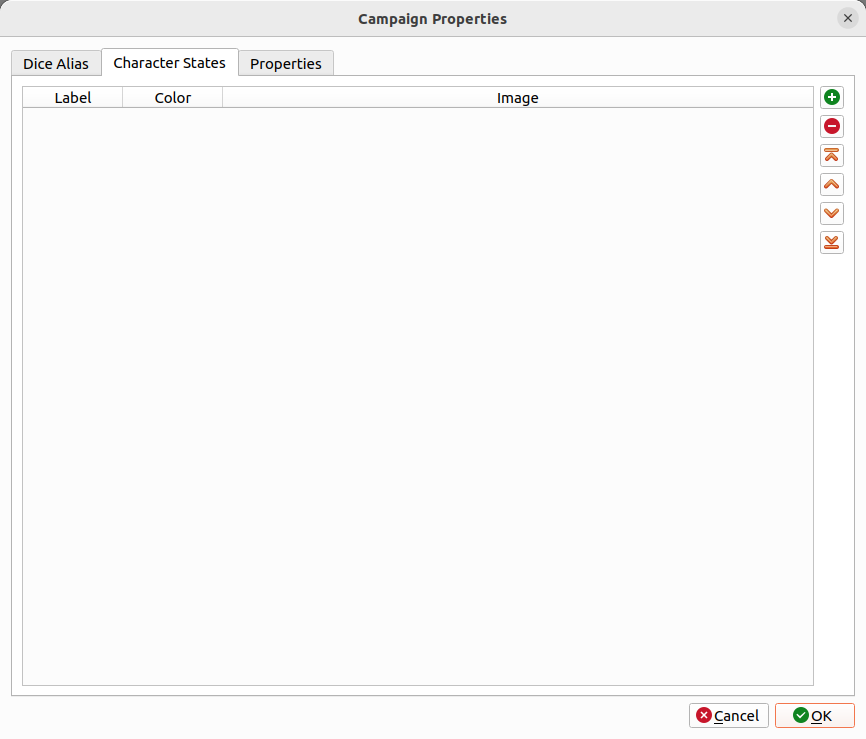
De manera predeterminada, el Rolisteam proporciona aquests estats:
- Bon estat
- Ferit lleu
- Ferit greu
- Mort
- Adormit
- Embruixat
Cada estat predeterminat es defineix amb un nom i un color. També podeu afegir una imatge. Sou lliure d'afegir altres estats que poden ser útils en el context del vostre joc.
Propietats
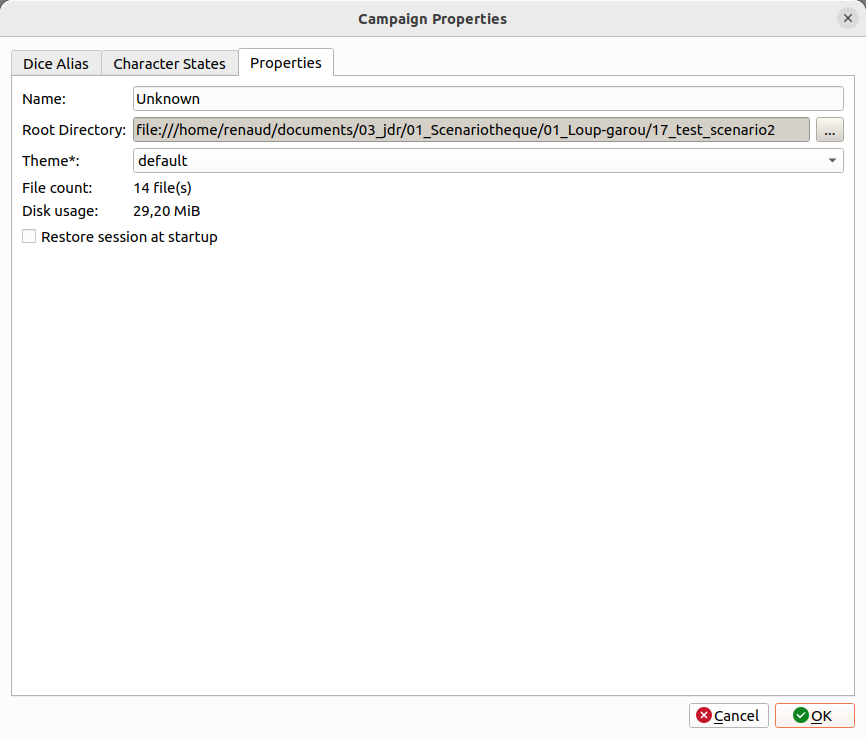
Finalment, podeu anar a l'última pestanya. Allà podeu definir el nom de la campanya, el tema rolisteam a utilitzar quan es jugui aquesta campanya. Si marqueu Restaura la sessió de a l'inici, cada vegada que inicieu el rolisteam amb aquesta campanya. S'obriran tots els documents que es van obrir en l'última sessió de joc.
Com que la campanya està a punt, ara podeu crear contingut. Primer, vegeu com crear un mapa de batalla.
Contingut

El directori de campanya ha emmagatzemat totes les dades.
La majoria dels fitxers són fitxers JSON de text.
Aquí hi ha un exemple de campanya:
.
├── 3dDice.json
├── audioplayer1.json
├── audioplayer2.json
├── audioplayer3.json
├── chatrooms.json
├── content.json
├── data.json
├── dice_command.json
├── media
│   ├── VectorialMap.vmap
│   ├── sheet_simple.rcs
│   ├── MindMap.rmap
│   └── Shared_Notes.rsn
├── npc.json
├── npcs
│   ├── avatar_0f5b4e85-2a81-4284-a827-a3ae47bd45f4.png
│   ├── avatar_147b4571-a380-4906-be04-34128d5ac034.png
│   ├── avatar_22e791c7-f990-45c3-887d-d6188f114899.png
│   ├── avatar_2894d9c1-56a3-4b6a-a46c-8efc4d34aa7d.png
├── rolisteam.log
├── states
│   ├── bewitched.svg
│   ├── dead.svg
│   ├── heavywonded.svg
│   ├── poison.svg
│   ├── sleeping.svg
│   └── wounded.svg
├── states.json
└── static
    ├── Book1.pdf
    ├── book2.pdf
    ├── MyBook10.pdf
    ├── image.png
    ├── rules_book.pdf
    ├── 7e1ebe95-698f-400e-b6c6-fc2448f34645_47459c22-c1d9-4c90-a7d5-45223244b808
    ├── ab10ac43-2c06-4981-b677-3dc8eba203ab.jpg
    ├── Evidences.pdf
    ├── d565820f-b33f-4609-af68-8395c16dffdc_10de1bde-7e52-40fa-b6e5-eaf6d093bdcc