 Table of content
Vista general
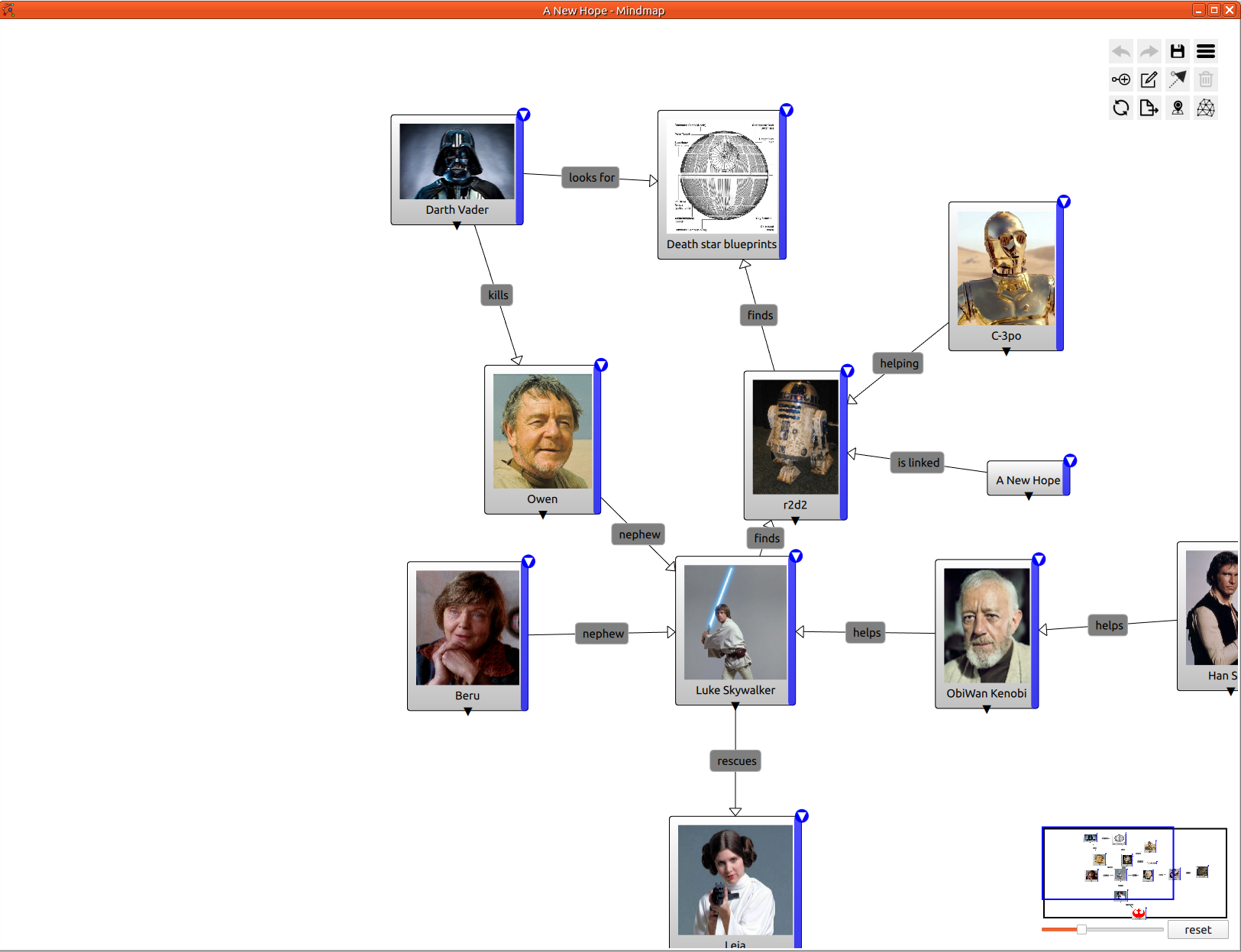
El Mapa mental us ajuda a estructurar les vostres idees. Una eina realment potent per a resumir la relació entre elements: personatges, llocs, objectes o faccions. Una manera gràfica i intuïtiva de modelitzar una història.
Característiques
- Afig/elimina un node
- Enllaç entre nodes
- Personalització de node: color
- Paquets
- Etiqueta en nodes, enllaços i paquets
- Espaiat automàtic
- Afig imatges a nodes
- Etiquetes a node
- Gestió de permisos
- Gestió de comparticions
- Mode fosc
- Oculta etiquetes d'enllaç
- Oculta etiquetes d'enllaç buides
- Mini mapa mental
- Nivell de zoom
Mapa mental nou
Per a afegir un mapa mental a l'espai de treball, senzillament cliqueu damunt del menú principal: Fitxer > Nou > Mapa mental.
Després establiu el nom del mapa mental.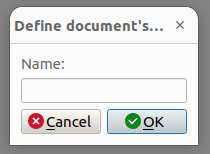
Finalment, veureu el mapa mental buit.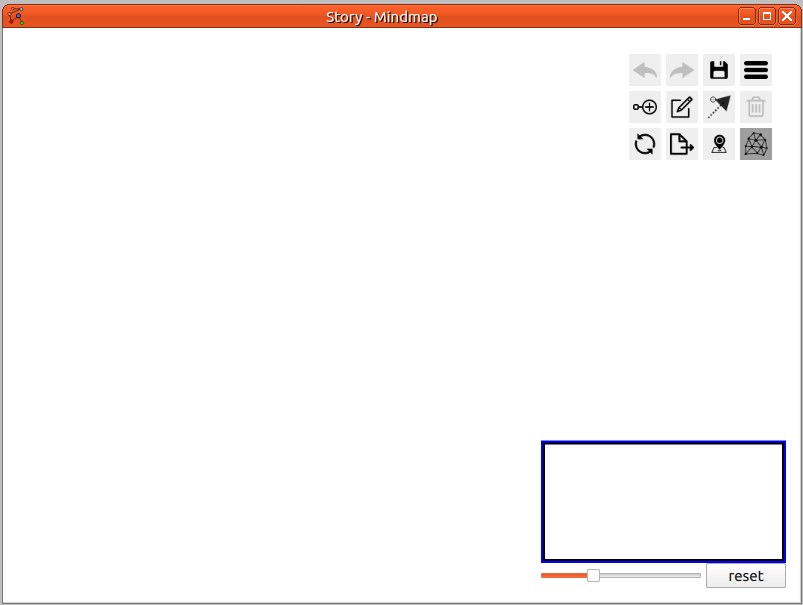
Afig un node arrel
Obriu el menú contextual fent clic dret damunt del mapa mental
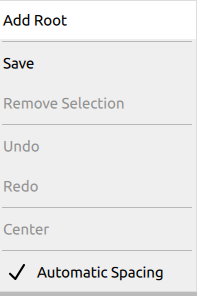
Cliqueu damunt Afig una arrel, el primer element del menú contextual. De manera alternativa, clicant damunt del botó Afig un node des de la quadrícula de botons (més detalls a continuació).
Demostracions
Global
Resultat final:
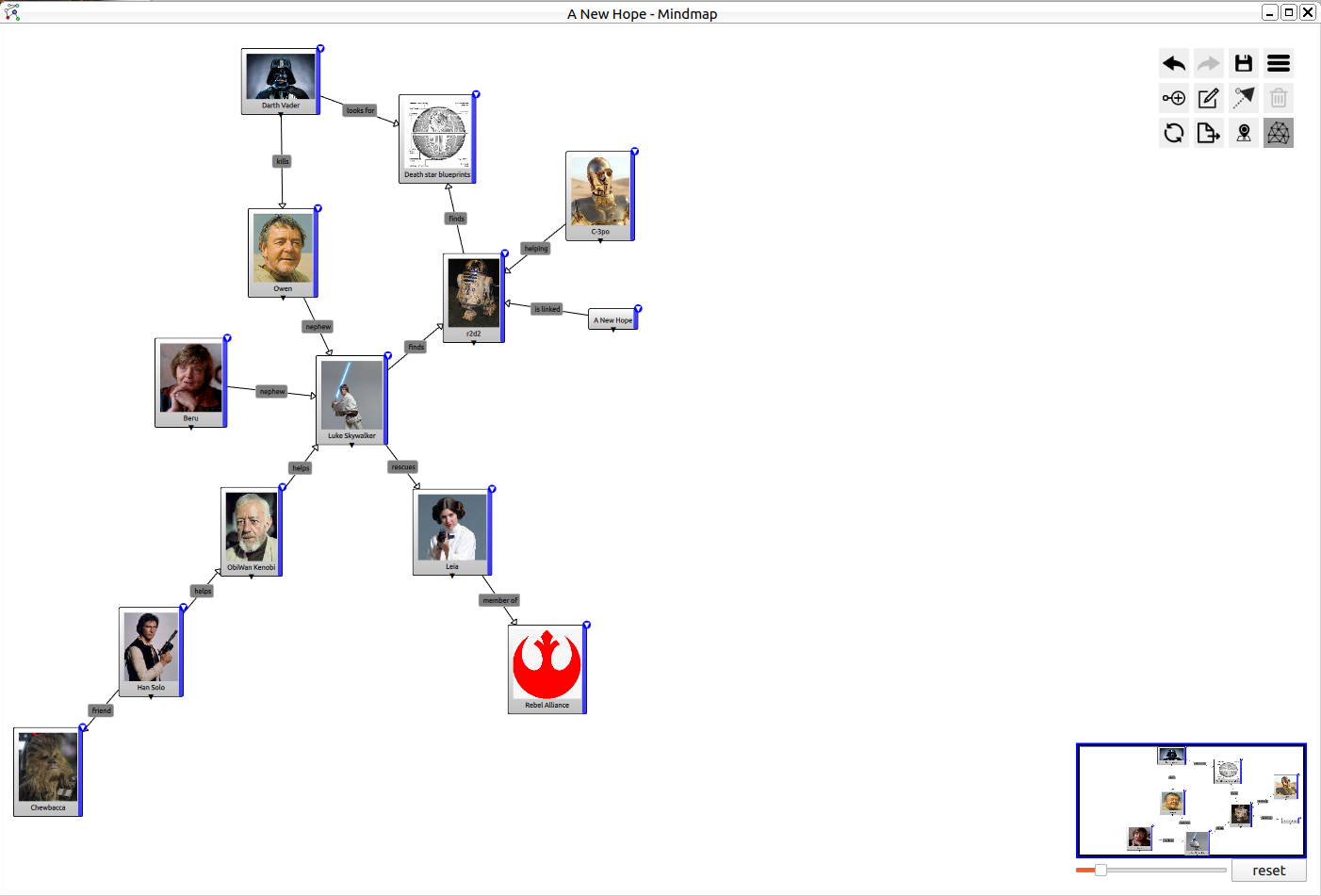
Afegir un node fill
Per a afegir un node fill, cal clicar damunt de la barra vertical blava a la dreta del node pare.
Editar una etiqueta
Feu doble clic al centre del node per a començar a editar l'etiqueta.
Oculta el fill
Feu clic damunt del triangle a la part inferior del node per a mostrar o ocultar tots els fills.
Mostra el menú
Feu clic damunt del botó del cantó superior dret per a mostrar el menú.
Canvia el color
Feu clic damunt del botó del cantó superior dret per a mostrar el menú i, a continuació, trieu el color que voleu. El canvi només afecta el node actual.
Emparentar
Trieu l'eina d'emparentar del menú de la quadrícula, després cliqueu damunt del pare i finalment cliqueu damunt del fill.
Tornar a emparentar
Trieu un element, després premeu «Ctrl» i arrossegueu l'element al seu pare nou.
Afegir un node a un paquet
Trieu un element, després premeu «Ctrl» i arrossegueu l'element al paquet.
Menú de quadrícula
En el cantó superior dret, hi ha molts botons. Anomenem-ho menú de la quadrícula.
| Icona | Descripció |
|---|---|
 | Desfés: desfà l'última acció |
 | Refés: refà l'última acció de desfer |
 | Guarda: guarda el mapa al sistema de fitxers |
 | Configuració: mostra el quadro de configuració |
 | Afig un node al mapa mental |
 | Afig un paquet al mapa mental |
 | Afig un enllaç entre dos nodes |
 | Suprimix: suprimix tots els nodes seleccionats |
 | Actualitza: sol·licita dades d'actualització (des del servidor) |
 | Exporta com a PNG |
 | Oculta el mapa xicotet |
 | Espaiat automàtic: activa l'espaiat automàtic entre nodes |
Configuració
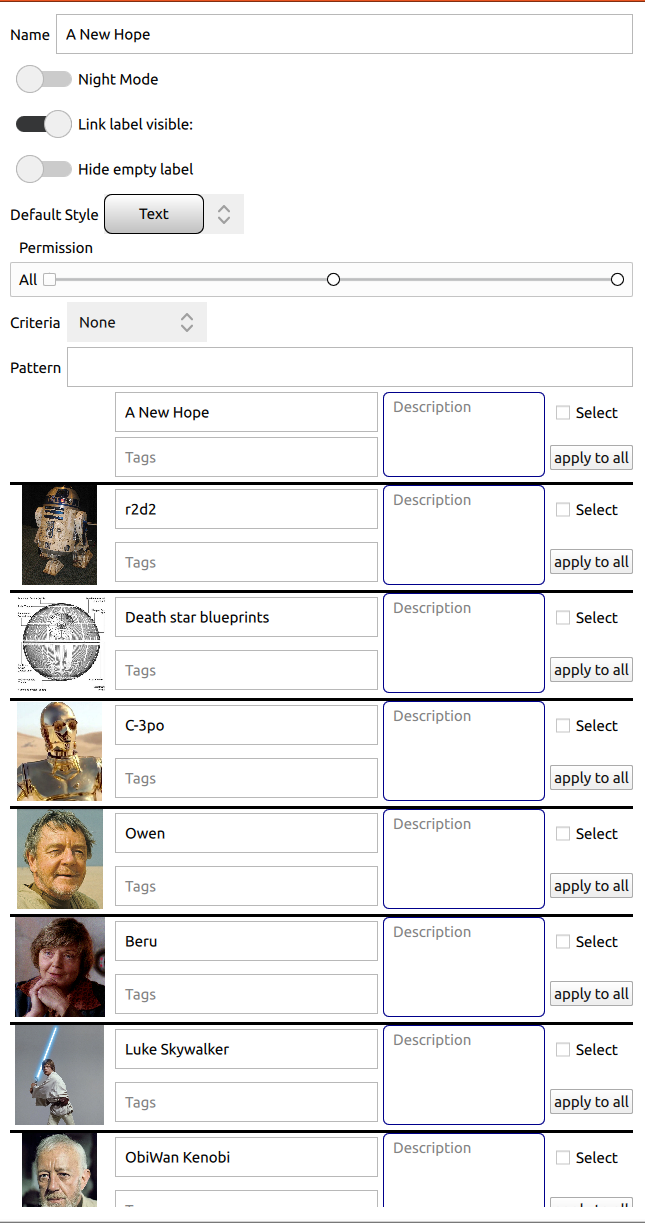
Nom
Establix o canvia el nom del mapa actual.
Mode de la IU
Podeu seleccionar l'estil del document.
| Mode clar | Mode fosc |
|---|---|
| 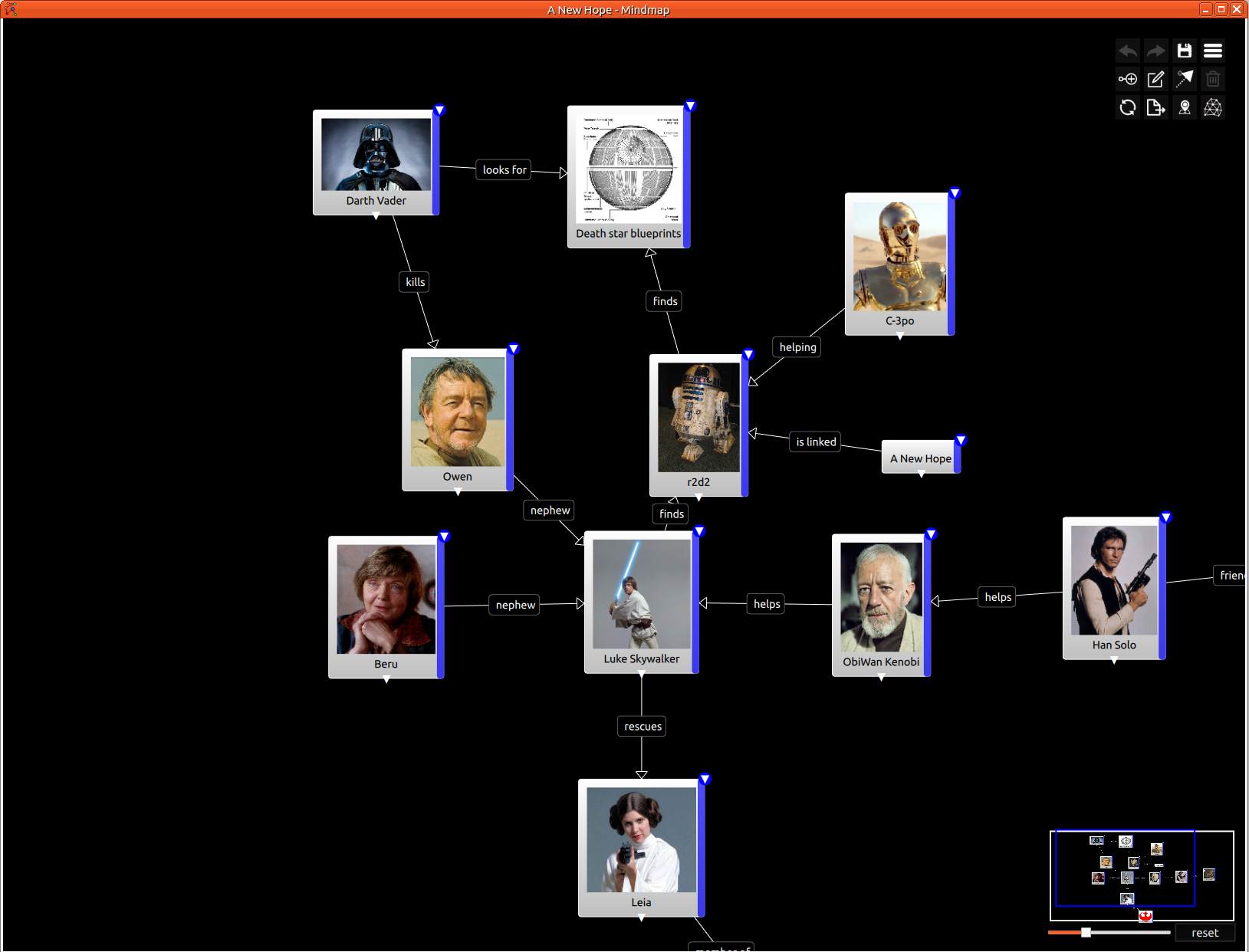 |
Etiqueta visible de l'enllaç
Oculta o mostra l'etiqueta de l'enllaç. Amb un mapa mental complex, en algun moment és fàcil llegir el mapa sense etiquetes dels enllaços.
Oculta l'etiqueta buida
Oculta les etiquetes quan estiguen buides.
Estil predeterminat
Establix l'estil utilitzat per a tots els nodes nous.
Permisos
Compartix el mapa mental amb els jugadors. Podeu especificar permisos globals o per jugador.
Busca
Busca un node. La busca es basa en el nom, la descripció i l'etiqueta.
Llista de nodes
Llista tots els nodes que complixen la busca actual. Sense busca, es mostren tots els nodes.