 Table of content
All Campaign Documents

This panel shows all campaign documents. Any open file will be copied into the media folder of the campaign, and it will appear in this list.
Double-click will open the document.
The panel offers a type-based or keyword-based filter on the media list.
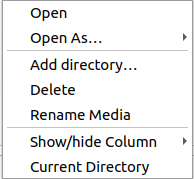
Columns
Showing or hiding columns can be done though the contextual menu.
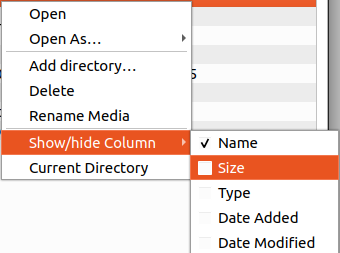
| Name | Description |
|---|---|
| FileName | Shows the filename and also an icon accordingly to type of document |
| Size | File size with unit |
| Type | Full text type description |
| Date: Added | Date when this document has been added to the campaign |
| Date: Modified | Last modification date |
Use cases
Sharing media without adding to the campaign.
This is not possible, but you can always remove the media from the list.
Stop sharing media
It may depend on the media type, but commonly you will have to close the media from the main menu:File > close.
Some media have their own internal sharing system, in this case, you just have to stop sharing.
Close media and forget it
Menu: File > close
then, just remove it from the list.
In one action, you can use the context menu on the resource to close and remove it.